

Download Easy Duplicate Finder – duplicate file finder, delete duplicate files, find duplicate files, free up disk space, optimize storage
Overview
Easy Duplicate Finder is a utility application designed to help users identify and remove duplicate files across their device storage. The primary purpose of the app is to free up valuable disk space by detecting redundant files such as documents, photos, music, and other commonly duplicated data types. This tool is especially useful for users experiencing storage congestion, whether on personal computers or mobile devices with shared file systems. By eliminating duplicate content, the app aims to improve system performance and reduce digital clutter.
The target audience includes individuals managing large digital libraries, professionals handling extensive file archives, and general users seeking to maintain efficient device storage. The app functions as a streamlined solution for those who have noticed declining system responsiveness or nearing storage limits despite regular cleanup efforts. Although the developer did not provide additional background information, the app's focused functionality suggests a specialized approach to file optimization.
Real-world use cases include organizing photo collections after device transfers, cleaning up downloaded content from multiple sources, and maintaining efficient file management across synced folders. In the broader app ecosystem, Easy Duplicate Finder fills a niche for lightweight, targeted tools that address storage inefficiencies without requiring complex setup or advanced technical knowledge.
Key Features & Functionality
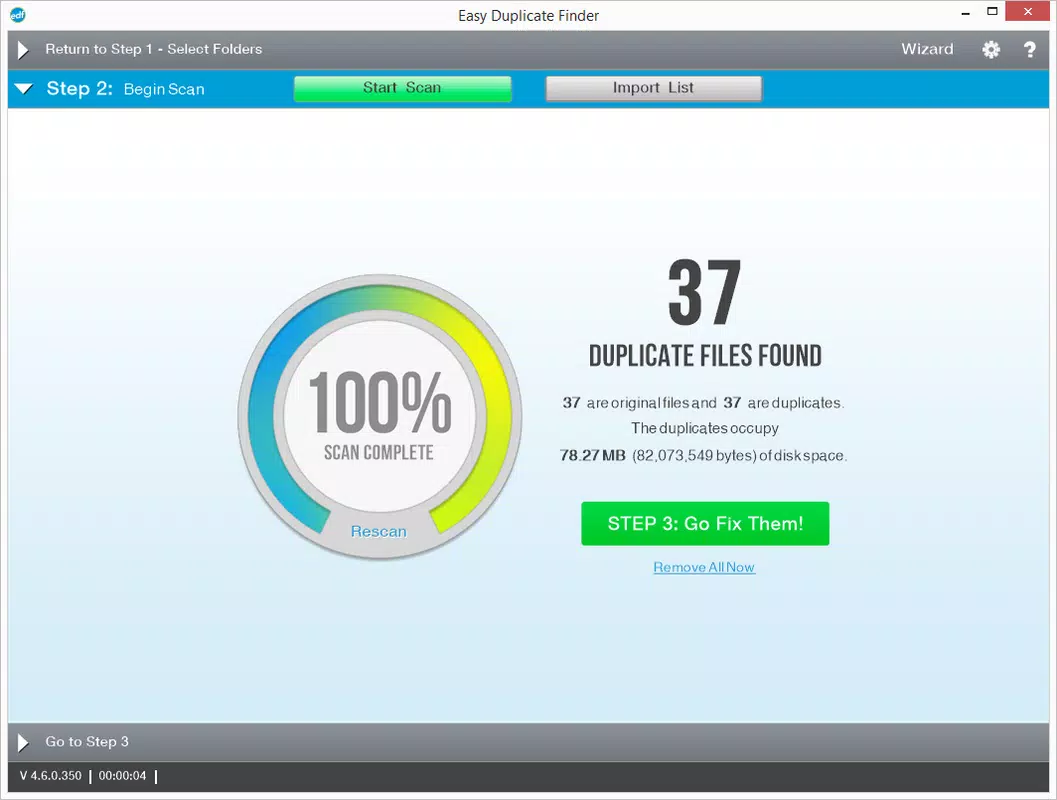
- Scan and Identify Duplicate Files – The app performs a systematic scan of designated storage locations to detect files with identical content. It compares file metadata and content hashes to ensure accurate identification of duplicates, helping users avoid accidental deletions of unique files.
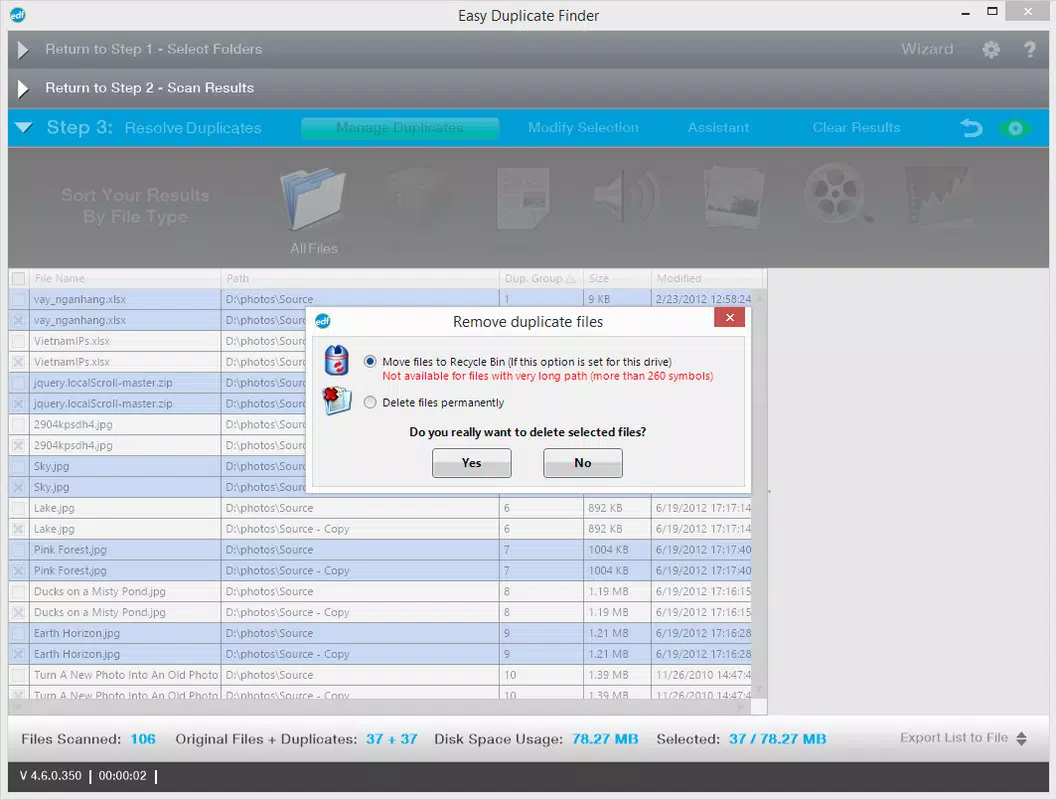
- Flexible Deletion Control – After scanning, users are presented with a categorized list of duplicate files. Each entry includes file details such as size, location, and creation date, enabling informed decision-making before deletion.
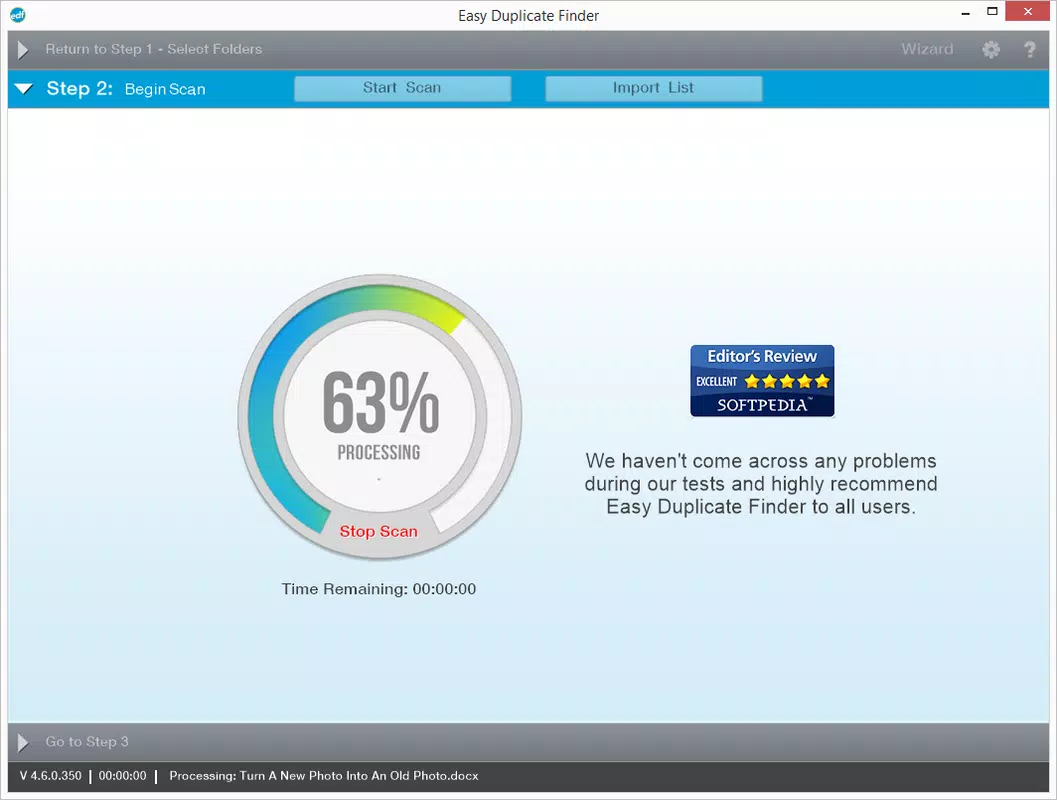
- Efficient and Accurate Scanning Engine – The application uses a fast, low-resource scanning algorithm to process large file sets quickly. This ensures minimal impact on device performance during operation, making it suitable for use on systems with varying hardware capabilities.
- Storage Optimization and Performance Boost – By removing redundant files, the app helps reclaim disk space and reduces file system fragmentation. This contributes to faster file access and improved overall device responsiveness.
- Targeted Solution for Overloaded Storage – Designed specifically for users whose storage is nearing capacity, even after clearing temporary files and the recycle bin. It offers a direct, effective method to regain usable space without requiring data migration or external tools.
For example, a user transferring photos from a smartphone to a desktop might inadvertently duplicate thousands of images. Easy Duplicate Finder can scan both folders, identify matches, and allow selective removal—preserving originals while deleting redundant copies. This functionality is also valuable for users managing shared cloud folders or backup directories.
Interface, UX & Performance
The user interface of Easy Duplicate Finder is designed with simplicity and clarity in mind. The layout features a clean, minimalistic design with clearly labeled sections: a scan control panel, a results display area, and a file selection interface. Navigation is intuitive, allowing users to initiate scans, review findings, and confirm deletions through a straightforward workflow.
Visual elements are functional rather than decorative, emphasizing readability and usability. File lists are organized by type and location, with color-coded indicators to distinguish between original and duplicate entries. This visual hierarchy supports quick assessment and reduces cognitive load during decision-making.
Although the developer did not list formal performance metrics, the app’s lightweight nature—only 2.5 MB in size—suggests efficient resource usage. It is expected to run smoothly on devices with moderate processing power and memory. Responsiveness is maintained across different device categories, including older systems and modern machines, though specific benchmarks were not disclosed. Stability appears consistent based on the app’s focused scope and lack of complex dependencies.
Platform Compatibility & Technical Requirements
Easy Duplicate Finder is available for Windows operating systems. The current version is 1.2.0, with a file size of 2.5 MB. This indicates a compact, lightweight application that does not require significant disk space for installation or operation.
The developer did not specify minimum OS requirements or compatibility details beyond the platform. As such, users should verify whether the app supports their specific Windows version. Compatibility information was not fully disclosed, so installation on older or less common Windows variants may require caution. The app is not available for Android or iOS platforms based on the provided data.
Pros and Cons
- Lightweight application with minimal system impact
- Accurate detection of duplicate files using content comparison
- Intuitive interface with clear navigation and file previews
- Full user control over which files to delete
- Helps free up disk space and improve system performance
- Not available on mobile platforms (Android, iOS)
- Price point of $12.99 may be considered high for a utility tool
- No built-in backup or undo function for deleted files
- Limited customization options for scan settings
- Developer did not provide detailed technical documentation
FAQ
Is Easy Duplicate Finder safe to use?
The app is designed to scan and identify duplicate files without modifying data until user confirmation. However, users should exercise caution when deleting files and ensure they have backups of important data.
Can I use Easy Duplicate Finder on my Android or iOS device?
Based on the provided information, the app is only available for Windows. There is no official version for Android or iOS devices.
Does the app support scanning network drives or external storage?
The app can scan local drives and connected external storage devices, but specific support for network drives was not confirmed in the available documentation.
How often should I run a duplicate scan?
Users may benefit from running a scan periodically—such as every few months—especially after transferring large amounts of data or when storage space becomes limited.
Is there a free version or trial available?
The app is priced at $12.99, and no free version or trial was mentioned in the provided details.
Final Thoughts
Easy Duplicate Finder delivers a focused, effective solution for users struggling with storage bloat caused by duplicate files. Its streamlined interface, accurate scanning engine, and user-controlled deletion process make it a reliable tool for maintaining digital hygiene. While the lack of mobile support and the one-time purchase price may deter some users, its performance and simplicity justify its value for Windows users seeking a no-frills cleanup utility.
Those who manage large media libraries, frequently transfer files between devices, or experience declining system performance due to disk congestion will find the most benefit. The app’s ability to reclaim space and improve responsiveness without requiring technical expertise sets it apart in the utilities category.
Download Easy Duplicate Finder now


